Interactive Example
NodeBraid's private Examples Application uses React, TanStack Router, shadcn, and Base UI to demonstrate the real public interfaces of the Basic Canvas Composition. It is not a product editor and is never published as an npm package.
Run locally
bun install
bun run example:dev
Open the /basic-svg URL printed by the development server to exercise Selection, Box Selection, real Clipboard Ctrl/Cmd+C / Ctrl/Cmd+V, Ctrl/Cmd+D Duplicate, Node Drag, Pan, Zoom, Port-aware Edge Connection, manual Auto layout, Undo, Redo, Fit View, and a complete Runtime Reset.
The example depends only on the public entry points of @nodebraid/adapter-react, @nodebraid/core, and the explicitly selected @nodebraid/renderer-svg and @nodebraid/layout-dagre. The React Adapter owns Runtime mount/remount and stable Snapshot projection; the application continues to own the Runtime Factory, toolbar, and Clipboard state. The application is not deployed separately yet; this page remains the stable description and local entry point.
Manual Auto layout
The toolbar provides one Auto layout button (自动布局). The application explicitly chooses Dagre with full mode, LR direction, and an empty Fixed Node set to arrange the whole Canvas; other parameters use the Provider's public defaults. The framework supports Node-topology layout for graphs with Ports through both Dagre and ELK. This example selects only Dagre and has no algorithm or direction selector.
Try selecting a Node and adjusting the view with Pan and Zoom before clicking the button. Layout changes only Node positions, preserving Selection, Viewport, the original Edges, and Endpoint portId values. Ports follow their Nodes, existing Edges still connect to the original Ports, and the moved Ports remain usable for new connections. Layout does not automatically Fit View; use the separate Fit View button when needed.
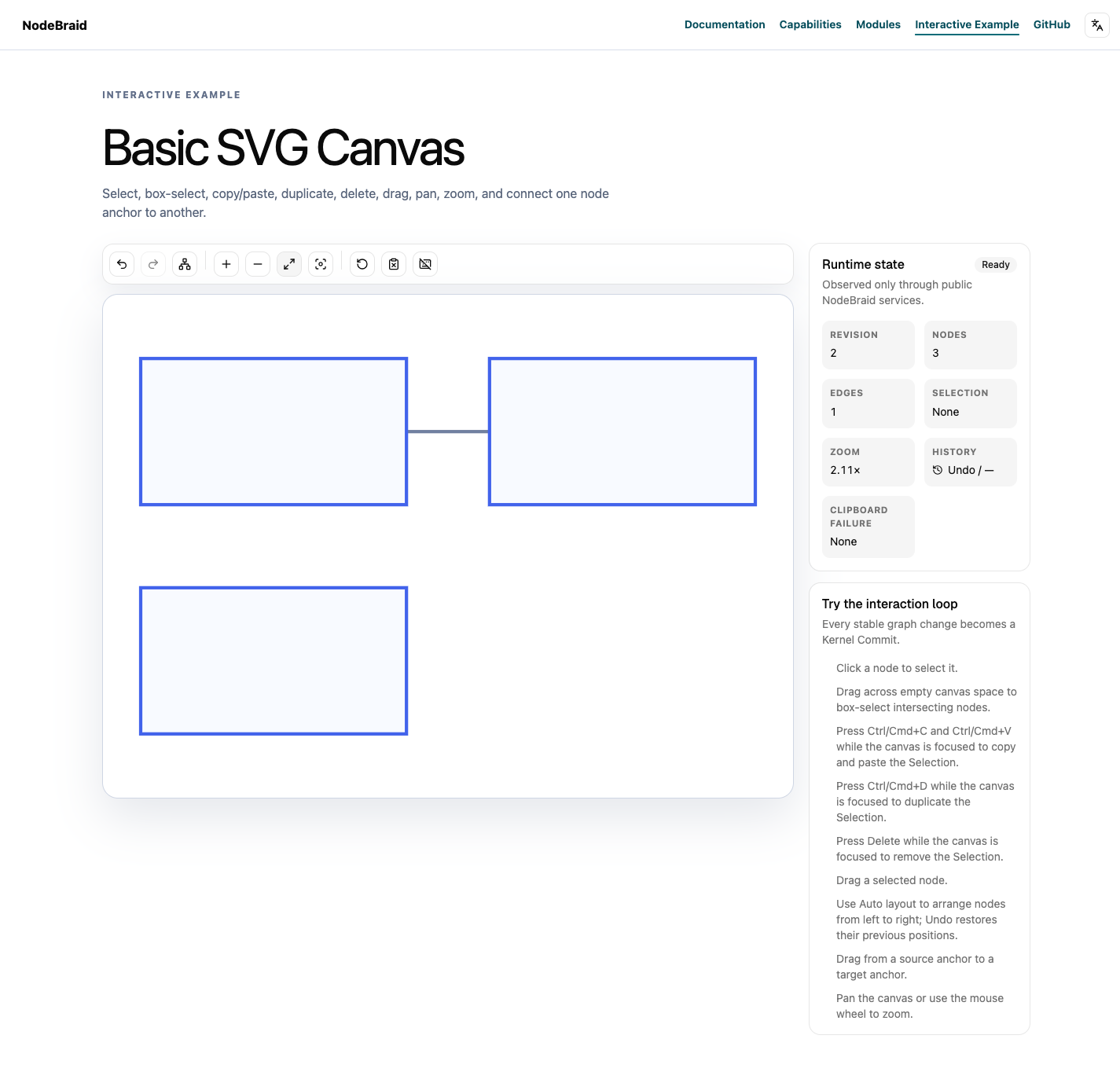
The screenshot uses the separate Fit view control after manual layout to show the complete graph; layout itself preserves the Viewport. Edges remain connected to their original Ports. The algorithm processes only Node topology; the SVG Renderer continues to project Port Geometry. This is not Port-aware layout that uses Port sides, order, or geometry in the algorithm.
A layout with net changes creates one History Entry: one Undo restores the pre-layout positions, and one Redo restores the laid-out positions. Repeating the same deterministic layout with no net changes adds no revision or history. A connection created afterward has its own History Entry.
Page initialization and ordinary edits such as dragging, connecting, copying, and pasting never trigger automatic rearrangement. The button uses the existing Command execution and error card. Failures remain visible, without automatic queueing or retries; the user decides whether to trigger layout again.
Save and restore files
Click Export document to download a complete graph JSON file. Reopen the page, then use Import document to select that file. A successful import replaces the graph and clears previous Undo/Redo; later edits start new History. A failed import displays its error and retains the old graph and History. The current Viewport remains; Selection follows existing ID reconciliation instead of being restored from the file.
The Example application Data Codec accepts only null or { label: string, tags: string[] }; Clipboard uses the same business-data constraint. The framework Document contract accepts other application codecs. Files omit Runtime revision and Session/History. The page does not save automatically. Cancelling file selection leaves the Canvas unchanged, and the same file can be imported again.
Create and edit generic Nodes
Select a Node type, then click blank Canvas once to place and select it. Escape cancels placement. The property editor keeps an application draft: Apply submits one data update and one undoable change; Cancel leaves the Document alone. Switching editing targets asks to apply or discard a dirty draft.
Drafts bind an exact source Node. Moving that same Node also makes the draft stale; the editor preserves the input and offers explicit reload. Changes to other Nodes are compatible. Type/data schemas and form controls belong to this application, not Kernel. Existing download/import preserves the new Nodes and application data.